
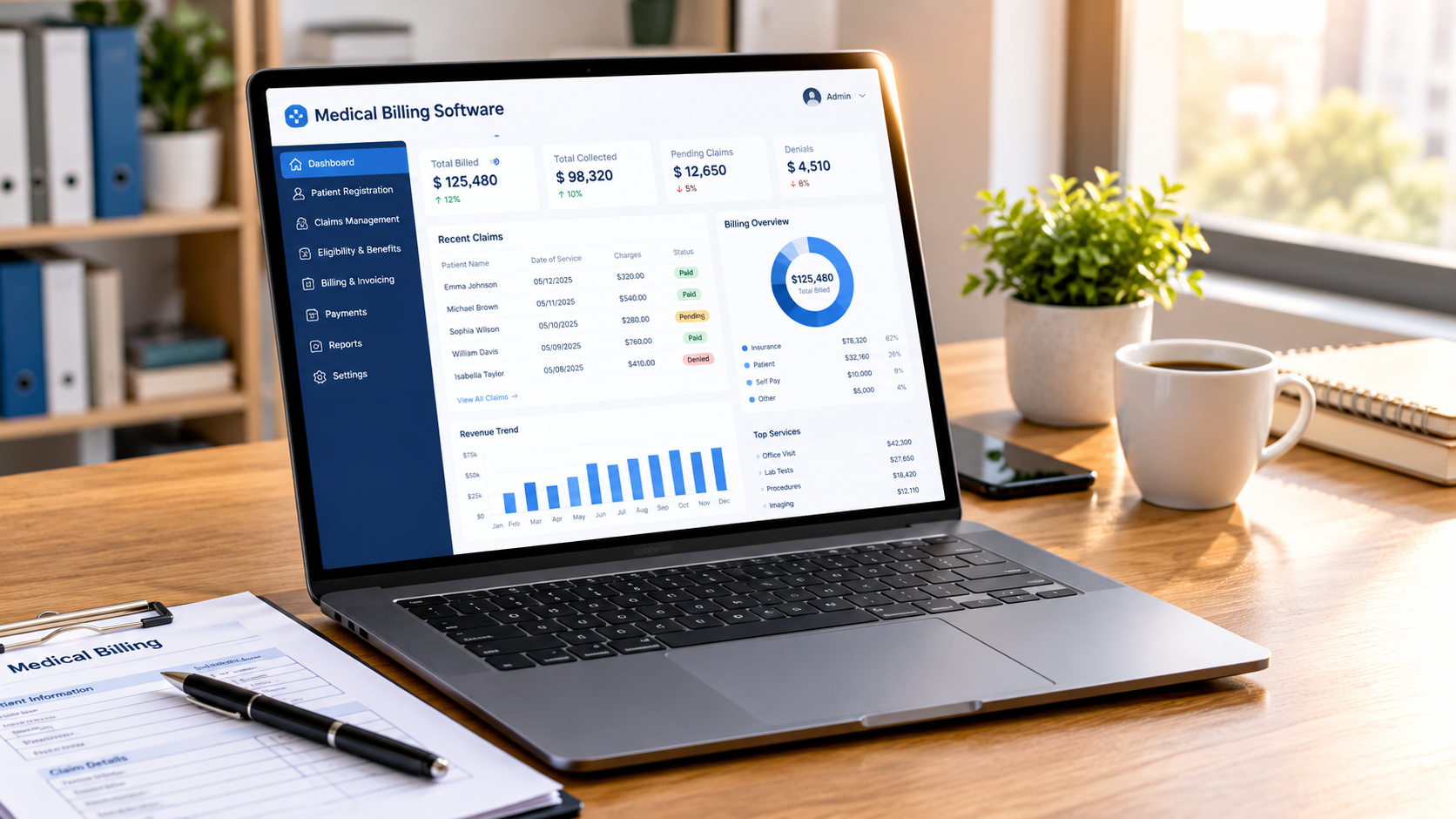
Managing patient payments, insurance claims, invoices, and financial records can become complicated when a healthcare practice relies on manual processes. Billing errors, delayed claim submissions, and untracked payments can affect both cash flow and daily operations. The right medical billing software helps healthcare providers organize these activities, reduce repetitive work, and maintain accurate financial records.
However, not every billing platform serves the same purpose. Some are designed for US healthcare practices that process insurance claims, while others focus on clinic billing, hospital administration, and patient management in India. Their features, pricing models, and integrations can also differ.
This guide covers 15 options, explains their main features, and compares what each platform offers. It also discusses important features, costs, and factors to consider before choosing a system.
What is Medical Billing Software?
Medical billing software is a digital platform that helps healthcare providers manage the financial side of patient care. It records consultation charges, prepares invoices, processes payments, and, where supported, handles insurance claims and reimbursement workflows.
In practices that work with insurance companies, the system may also verify patient coverage, check claims for errors, submit electronic claims, record insurance payments, and track rejected or denied claims. These functions help billing teams monitor outstanding balances and follow up on unpaid claims.
How Does Medical Billing Software Work?
A billing system generally follows a series of steps, starting when a patient registers and ending when the payment is recorded. The exact workflow depends on whether the practice handles direct patient payments, insurance claims, or both.
- Patient registration: The staff enters the patient’s name, contact information, medical details, and other required information. Insurance-based practices may also record policy and payer details.
- Service and charge entry: After a consultation or procedure, the system records the services provided and their corresponding charges. In some platforms, charges can be linked with clinical documentation.
- Medical coding: For insurance billing, the relevant diagnosis and procedure codes are added to the claim. In the United States, this may involve ICD-10-CM and CPT codes, depending on the service and payer requirements.
- Claim preparation and submission: The billing team reviews the information and submits the claim electronically through a supported clearinghouse or payer connection. Some platforms check for missing details before submission.
- Payment posting: When the payer processes a claim, the payment and any adjustments are recorded. Patient payments can also be added to the account.
- Denial management: If a claim is rejected or denied, the billing team reviews the reason, corrects errors where appropriate, and resubmits or appeals it according to payer rules.
- Financial reporting: The system generates reports on collections, outstanding balances, claim status, and accounts receivable. These reports help practices monitor their financial performance.
For clinics that mainly collect consultation fees directly from patients, the workflow may be simpler and focus on invoicing, payment receipts, and daily collection reports.
15 Best Medical Billing Software Tools to Consider
The following platforms serve different healthcare settings, from independent medical practices and specialist clinics to hospitals and professional billing companies. Compare their features with your actual billing requirements rather than choosing a tool only because it has a long feature list.
1. Tebra
Tebra combines practice management, electronic health records, and billing tools for independent healthcare practices. Its platform helps providers manage patient information, appointments, insurance claims, and payments through connected workflows.
Its billing capabilities include claims management, insurance eligibility checks, patient billing, and reporting. Practices can use these features to manage administrative work and monitor payments without handling every task separately.
Key features:
- Insurance eligibility verification
- Electronic claims management
- Patient billing and payment collection
- Practice management and scheduling
- Financial reporting
Best for: Independent medical practices looking for connected billing and practice management features.
Website: https://www.tebra.com/
2. AdvancedMD
AdvancedMD provides practice management, electronic health records, and revenue cycle management solutions. It is designed for healthcare practices that need to manage clinical and financial activities within a connected platform.
The system supports charge entry, claim submission, payment posting, denial management, and accounts receivable tracking. Practices can also use its reporting tools to review financial performance and identify billing issues.
AdvancedMD offers different service and software options, so the final cost depends on the selected features and practice requirements.
Key features:
- Claims submission and tracking
- Automated claim scrubbing
- Payment posting
- Denial and accounts receivable management
- Financial reporting
- Integrated EHR and practice management
Best for: Small and medium-sized practices that need billing, clinical documentation, and administrative tools in one system.
Website: https://www.advancedmd.com/
3. athenahealth
athenahealth offers athenaOne, a healthcare platform that combines electronic health records, practice management, and revenue cycle management. It is designed to support medical practices with clinical and administrative workflows.
Its billing services include claim editing, insurance eligibility checks, claims follow-up, and payment management. Practices can also use its revenue cycle services to manage parts of the billing process with support from the provider.
The platform may be more suitable for organizations that need an integrated healthcare system rather than a basic invoicing application.
Key features:
- Revenue cycle management
- Insurance eligibility verification
- Claim submission and editing
- Payment and reimbursement tracking
- Practice management
- Clinical documentation
Best for: Medical practices that want integrated EHR and revenue cycle management services.
Website: https://www.athenahealth.com/
4. DrChrono
DrChrono offers cloud-based EHR and practice management software with billing capabilities. Its platform is particularly known for its mobile-friendly approach, allowing healthcare professionals to access patient and administrative information through supported devices.
The billing system supports electronic claims, superbills, payment processing, and revenue cycle workflows. Its EHR integration helps connect clinical documentation with billing activities.
Before choosing it, practices should confirm device compatibility, available integrations, and whether its billing features support their specialty and payer requirements.
Key features:
- Electronic claims management
- Superbills and charge capture
- Payment processing
- EHR integration
- Appointment scheduling
- Patient records management
Best for: Healthcare providers who prefer mobile access to clinical and billing information.
Website: https://www.drchrono.com/
5. eClinicalWorks
eClinicalWorks provides EHR, practice management, and revenue cycle management solutions for healthcare organizations. Its platform connects patient documentation with administrative and billing activities.
The revenue cycle features support insurance eligibility checks, claim scrubbing, electronic remittance processing, and payment tracking. These functions help billing teams identify errors and manage outstanding claims.
The platform offers a wide range of capabilities, so smaller practices should assess whether they need its broader functionality before committing to a subscription.
Key features:
- Electronic claims processing
- Claim scrubbing and error checks
- Insurance eligibility verification
- Electronic remittance advice processing
- Payment tracking
- EHR and practice management integration
Best for: Clinics and healthcare groups that need a broad EHR and billing platform.
Website: https://www.eclinicalworks.com/
6. NextGen Healthcare
NextGen Healthcare provides technology solutions for ambulatory practices, including EHR, practice management, and revenue cycle services. It supports organizations that handle multiple providers, specialties, and locations.
Its billing capabilities include claims processing, payment management, financial reporting, and revenue cycle workflows. The platform also helps practices connect clinical and administrative information.
Since the product has several modules and service options, healthcare organizations should request a demonstration based on their specialty and operational needs.
Key features:
- Medical claims management
- Revenue cycle management
- Payment processing
- Financial reporting and analytics
- Practice management
- EHR integration
Best for: Multispecialty practices and larger ambulatory healthcare organizations.
Website: https://www.nextgen.com/
7. MocDoc
MocDoc is a healthcare management platform designed for hospitals, clinics, and diagnostic centres, particularly in the Indian market. It offers modules for different hospital operations, including patient registration, billing, appointments, pharmacy, laboratory management, and inpatient administration.
Its billing functions can help healthcare facilities prepare patient invoices and manage charges across departments. The platform’s broader hospital management capabilities may also help reduce the need to maintain separate systems for routine administrative tasks.
Hospitals should check which billing modules are included in their selected package and whether the platform supports their insurance and TPA workflows.
Key features:
- OPD and IPD billing
- Patient registration and appointment management
- Pharmacy and laboratory management
- Hospital administration
- Financial and operational reports
- Electronic patient records
Best for: Indian hospitals, clinics, and diagnostic centres that need connected administrative and billing modules.
Website: https://www.mocdoc.com/
8. Clinicea
Clinicea is a cloud-based clinic management platform designed for healthcare professionals and medical practices. It combines patient records, appointment scheduling, billing, and other administrative functions.
The system helps clinics generate invoices, record payments, manage patient information, and organize daily operations. Its features may be useful for practices that want to manage consultations and administrative activities from one platform.
Available plans and features should be checked directly with the provider, especially if a clinic needs multiple users, locations, or specialty-specific workflows.
Key features:
- Patient billing and invoicing
- Appointment scheduling
- Electronic medical records
- Patient management
- Clinic administration
- Financial reports
Best for: Independent clinics and specialist practices looking for cloud-based management tools.
Website: https://clinicea.com/
9. PracticeSuite
PracticeSuite provides cloud-based billing and practice management solutions for healthcare providers and medical billing companies. Its platform supports different stages of the revenue cycle, including charge entry, claims processing, payment posting, and denial management.
The software also offers reporting tools that help billing teams review accounts receivable, collections, and claim performance. Its features are designed for both individual practices and organizations that manage billing for multiple clients.
Practices should review its integration options and available service packages before selecting a plan.
Key features:
- Electronic claims processing
- Claim scrubbing and error checks
- Denial management
- Payment posting
- Accounts receivable tracking
- Revenue cycle reporting
Best for: Medical practices and third-party billing companies that need dedicated revenue cycle tools.
Website: https://practicesuite.com/
10. CareCloud
CareCloud offers healthcare technology and revenue cycle management services for medical practices and healthcare organizations. Its solutions cover billing operations, claims management, payment workflows, and financial performance monitoring.
Healthcare providers can use its services to manage administrative billing tasks and track reimbursement activity. Its broader technology offerings may also support organizations looking to connect billing with other practice operations.
The available services and implementation requirements depend on the organization’s size and selected solution.
Key features:
- Revenue cycle management
- Claims processing
- Payment and reimbursement tracking
- Financial reporting
- Practice management solutions
- Billing support services
Best for: Healthcare organizations looking for billing technology and revenue cycle management support.
Website: https://www.carecloud.com/
11. SimplePractice
SimplePractice is a practice management and EHR platform primarily designed for therapists, counsellors, and behavioral health professionals. It combines scheduling, clinical documentation, client communication, and billing features.
Its insurance billing tools support electronic claim filing, insurance status checks, and payment reports. The platform also provides invoicing and payment management features for practices that collect fees directly from clients.
Because its main focus is behavioral health, it may not be the right fit for hospitals or medical practices with complex multispecialty billing requirements.
Key features:
- Electronic insurance claim filing
- Insurance status checks
- Payment reports and billing records
- Client invoicing
- Appointment scheduling
- Clinical documentation
Best for: Therapists, counsellors, and behavioral health practices.
Website: https://www.simplepractice.com/
12. RXNT
RXNT provides cloud-based healthcare software with EHR, e-prescribing, and practice management capabilities. Its billing tools help healthcare providers manage claims, patient payments, and financial records.
The platform includes claim scrubbing, claim tracking, payment collection, and reporting features. These tools can help billing teams identify issues and monitor the progress of submitted claims.
RXNT may suit practices that want billing and clinical management features within the same technology platform.
Key features:
- Medical claims management
- Claim scrubbing and tracking
- Patient payment collection
- Billing and financial dashboards
- Appointment scheduling
- EHR and e-prescribing
Best for: Medical practices that need connected clinical and billing workflows.
Website: https://www.rxnt.com/
13. HealthPlix
HealthPlix is an Indian healthcare technology platform that provides electronic medical records and digital tools for doctors. It helps healthcare professionals maintain patient information, prepare prescriptions, and manage parts of their daily clinic operations.
Its broader clinic workflow capabilities can support administrative activities, including billing-related tasks. However, practices should confirm the exact billing features available in their chosen plan rather than assuming it offers the same insurance claims functionality as US-focused platforms.
Key features:
- Electronic medical records
- Digital prescriptions
- Patient management
- Clinic workflow support
- Practice-related reporting
- Billing-related administrative features
Best for: Indian doctors and clinics looking for digital patient records and connected practice tools.
Website: https://www.healthplix.com/
14. Practo Ray
Practo Ray is a clinic management solution associated with Practo’s healthcare technology ecosystem. It is designed to help doctors and clinics manage appointments, patient information, and everyday administrative work.
Its clinic management functions include billing and payment records, along with scheduling and patient communication features. This can help independent practices organize their front-desk activities and maintain patient information in one place.
Before adopting the platform, clinics should confirm its current availability, supported features, and integration options with the provider.
Key features:
- Patient billing and invoices
- Appointment scheduling
- Patient record management
- Clinic administration
- Payment records
- Patient communication tools
Best for: Indian doctors and small clinics that need basic practice management and billing capabilities.
Website: https://www.practo.com/
15. Eka Care (Eka Doc)
Eka Care offers digital healthcare solutions for doctors, clinics, and patients in India. Its Eka Doc platform supports electronic health records, digital prescriptions, appointment management, and other clinic-related workflows.
Its tools can help practitioners maintain patient information and organize administrative activities. Clinics considering it for billing should check the available invoice, payment, and reporting features in the current product package.
Eka Care may be a suitable option for practices that want digital records and connected healthcare services alongside routine clinic management.
Key features:
- Digital patient records
- Electronic prescriptions
- Appointment management
- Patient communication
- Clinic workflow support
- Billing and administrative tools, depending on the product configuration
Best for: Independent practitioners and clinics in India looking for digital patient management solutions.
Website: https://www.eka.care/

Essential Features to Look for in Medical Billing Software
The right features depend on the type of healthcare organization and its billing process. A small clinic may need straightforward invoicing, while a multispecialty practice or hospital may require more advanced claims and financial management tools.
Automated Claims Processing
Electronic claims processing helps billing teams prepare and submit insurance claims without relying entirely on paper forms. Look for features that support claim creation, submission tracking, and error identification.
Insurance Eligibility Verification
Eligibility verification checks whether a patient’s insurance coverage is active and provides relevant benefit information. This can help staff identify coverage issues before submitting a claim.
Claim Scrubbing
Claim scrubbing checks submitted information for common errors, such as missing patient details, incorrect codes, or incomplete fields. It can help reduce avoidable claim rejections, although it cannot guarantee payment.
Denial Management
A denial management feature helps staff identify unpaid or rejected claims, record denial reasons, assign follow-up tasks, and track resubmissions or appeals.
Payment Posting
Payment posting records money received from insurance companies and patients. Automated posting, where available, can reduce manual entry and help keep account balances accurate.
Patient Invoicing and Online Payments
For clinics that collect fees directly from patients, invoice generation and digital payment options are important. Check whether the platform supports receipts, outstanding balance tracking, and payment reminders.
EHR and Practice Management Integration
Integration between billing and electronic health records can reduce repeated data entry. It also helps connect patient visits, clinical documentation, service charges, and financial records.
Reporting and Analytics
Financial reports help healthcare providers monitor collections, unpaid invoices, claim status, and outstanding balances. Practices should check whether reports can be filtered by provider, location, department, or payer.
Data Security and Access Controls
Patient and financial information must be protected. Review user permissions, encryption, audit logs, backup procedures, and the provider’s compliance responsibilities. US practices should assess HIPAA-related requirements, while Indian organizations should consider applicable Indian data protection and healthcare regulations.
Benefits of Medical Billing Software
A well-selected billing platform can improve financial administration and reduce the amount of repetitive work handled by clinic staff.
Fewer Manual Errors
Manual data entry can lead to incorrect charges, missing information, and calculation mistakes. Automated checks and standardized billing workflows help identify some errors before they affect invoices or claims.
Faster Billing Operations
Digital invoices, electronic claims, and automated payment posting can reduce paperwork. Staff can spend less time preparing documents and more time handling exceptions that require attention.
Better Payment Tracking
A centralized billing record makes it easier to identify paid invoices, pending payments, and outstanding balances. This gives practice managers a clearer view of the money owed to the organization.
Improved Patient Experience
Patients can receive clear invoices and payment receipts. Platforms with online payment options and digital statements may also make it easier for patients to settle their bills.
Easier Financial Reporting
Billing reports help practices review revenue, collections, unpaid claims, and payment trends. These details can support budgeting and operational decisions.
More Organized Insurance Claims
For practices that work with insurers, claim tracking and denial management tools help staff monitor submissions and follow up on unresolved claims.
Medical Billing Software vs. EHR Software vs. Hospital Management Software
These three systems can have overlapping features, but they serve different primary purposes.
| System | Main purpose | Common features |
| Medical billing system | Manage patient charges and payments | Invoices, claims, payment posting, denial tracking |
| EHR software | Maintain clinical patient information | Medical history, diagnoses, prescriptions, clinical notes |
| Hospital management system | Coordinate hospital-wide operations | OPD, IPD, billing, pharmacy, laboratory, inventory, administration |
Some vendors combine all three functions in one platform. Others sell separate modules or integrate with third-party applications.
A small clinic may need an EHR with basic billing features, while a large hospital may require a hospital management system with department-wise billing and financial reporting.
How Much Does Medical Billing Software Cost?
The cost varies according to the provider, number of users, practice size, selected modules, and level of support. Some platforms charge a monthly subscription, while others offer custom quotes or charge based on providers, claims, or collections.
Common pricing models include:
- Monthly or annual subscription: The practice pays a fixed amount for access to selected features.
- Per-provider pricing: The subscription cost is calculated according to the number of doctors or healthcare professionals.
- Per-claim pricing: The provider charges according to the number of claims submitted or processed.
- Percentage of collections: Some revenue cycle management services charge a percentage of the payments collected.
- Custom enterprise pricing: Larger hospitals and healthcare groups may receive a quote based on users, locations, integrations, and implementation requirements.
Before purchasing, ask about setup charges, data migration, training, support, additional users, payment processing fees, and integration costs. A low monthly subscription may not represent the total cost of using the platform.
How to Choose the Best Medical Billing Software for Your Practice
Selecting a platform requires more than comparing feature lists. The system should match your billing process, staff requirements, and future operational needs.
- Identify your billing requirements: Decide whether you mainly need patient invoicing, insurance claim processing, hospital billing, or complete revenue cycle management.
- Consider your practice size: A solo doctor may not need the same system as a hospital with multiple departments. Choose a platform that fits your current workload without paying for unnecessary modules.
- Check country-specific requirements: Insurance claim formats, coding systems, tax rules, and payment methods vary by country. Confirm that the software supports the regulations and workflows relevant to your location.
- Review integration options: Check whether the platform works with your existing EHR, laboratory system, pharmacy software, payment gateway, or accounting application.
- Ask for a product demonstration: Test common tasks such as creating an invoice, recording a payment, checking a claim, and generating a report. This helps you assess whether staff can use the system comfortably.
- Review security and data ownership: Ask how patient records are stored, who can access them, how backups work, and how you can export your data if you change providers.
- Compare the complete cost: Request a written breakdown of subscription fees, implementation, training, support, and additional charges. Compare the total cost rather than only the advertised starting price.
Wrapping Up
Choosing the right medical billing software depends on the type of healthcare organization, its billing process, and the features required by its staff. A small clinic may need patient invoicing and payment tracking, while a larger practice may require insurance claims, denial management, and revenue cycle reporting.
Compare the platforms based on their actual capabilities, integrations, security practices, and total cost. Request a demonstration and test common billing tasks before making a decision. The right system should make financial administration easier without adding unnecessary complexity to everyday clinical work.
Frequently Asked Questions
Q1. What is the best medical billing software for hospitals?
The best option depends on the hospital’s size, departments, and billing requirements. Platforms such as MocDoc and other hospital management systems support OPD, IPD, pharmacy, and laboratory billing.
Q2. How much does medical billing software cost?
Pricing depends on the provider, number of users, features, and billing model. Some platforms charge monthly subscriptions, while others offer custom pricing or charge based on claims or collections.
Q3. Can medical billing software automate insurance claims?
Yes. Many platforms support electronic claim submission, insurance eligibility checks, claim scrubbing, payment posting, and denial tracking. Available features vary by provider.
Q4. What is the difference between medical billing and medical coding?
Medical coding converts diagnoses, procedures, and treatments into standardized codes. Medical billing uses these codes and other patient information to prepare invoices and submit insurance claims.
Q5. Is cloud-based medical billing software better than desktop software?
Cloud-based systems allow authorized users to access billing information online and receive software updates without maintaining local servers. Desktop systems may suit facilities that prefer locally installed software. The right choice depends on security, internet reliability, cost, and operational needs.